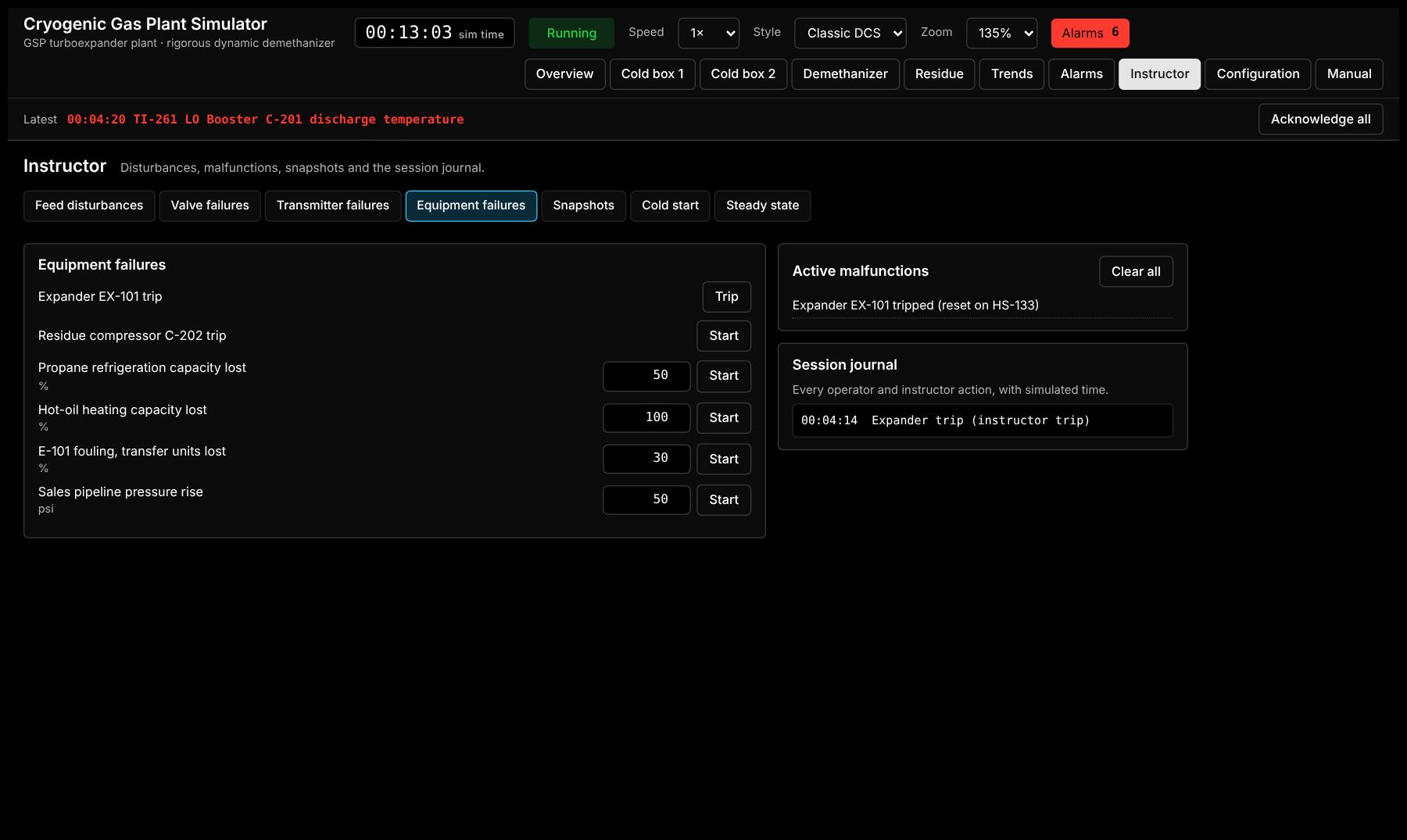
Feed disturbances
- Field gas supply, stepped or ramped at a set rate
- Feed richness
- Field gas CO₂ content
- Inlet gas temperature
Set the size and rate of each change
Steadfast Dynamic OTS – Cryogenic Gas Plant
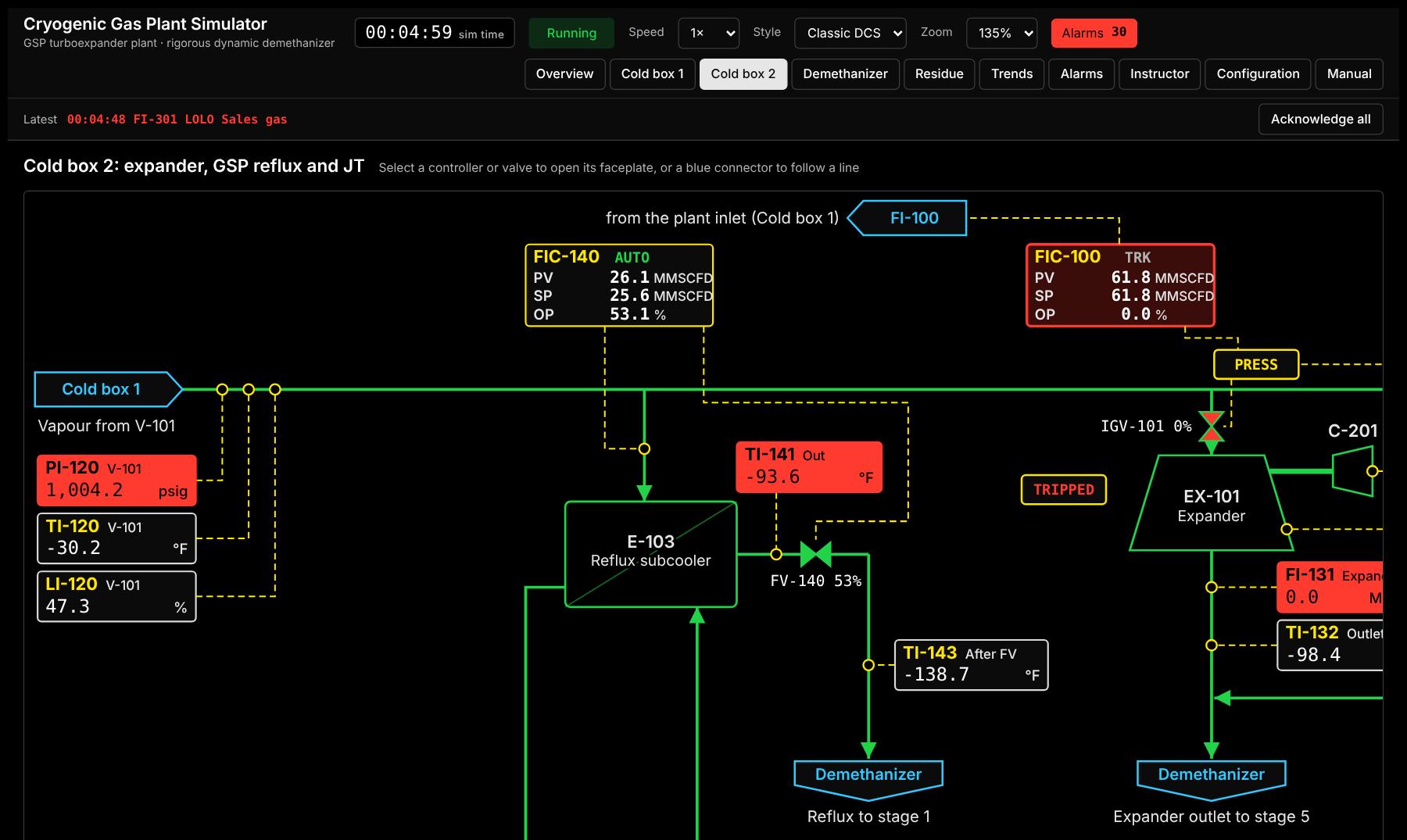
A real-time dynamic simulator of a GSP turboexpander gas plant, on classic DCS screens. Your instructor trips the expander, fails a valve or cuts the refrigeration; your operators work it through, and nothing in the real plant is at risk. It starts as a generic plant and is set up with your site's own tags, tuning, alarms and design data.
Why a simulator
A turboexpander plant runs gas at pipeline pressure, chills it far below the temperature at which carbon steel turns brittle, and drives a machine at thousands of revolutions per minute, all with a flammable inventory. When it goes wrong, it goes wrong in minutes: the expander trips, pressure climbs toward the relief valves, the column loses its cold and product goes off specification.
The events that matter most are the ones operators see least. An expander trip, a refrigeration failure or a cold start may come once or twice a year, and a newer operator can go years without handling one before facing it alone, at night, with the board full of alarms.
And the people keep changing. Experienced operators are retiring, new hires get a few weeks of onboarding, and plants struggle to keep crews staffed. Refining has long trained operators on simulators of their own units; cryogenic gas processing largely has not.
"20 people were needed across four teams. I watched 31 people come and go through those positions in four years."
A gas plant operator, in Pipeline & Gas Journal, August 2026
Malfunction library
The instructor picks the fault and its size from the Instructor station. Trainees see only the effects: a failed control valve still shows its controller's output, so they have to diagnose it from flows, pressures and alarms, as they would in the plant.
Set the size and rate of each change
34 valves × 3 failure modes: inlet compression and flare, amine, mole sieve regeneration, chiller, cold separator, expander guide vanes, JT, GSP reflux, reboilers, NGL product, compressor capacity and anti-surge, refrigeration, hot oil, stabilizer, sales
33 controller measurements × 5 failure modes
Capacity losses set in %, pressure rise in psi
Counts are for the base GSP configuration. Plant options change them: an upper side reboiler adds a valve and a controller; an ISS plant has no GSP reflux valve.
A trip, start to finish
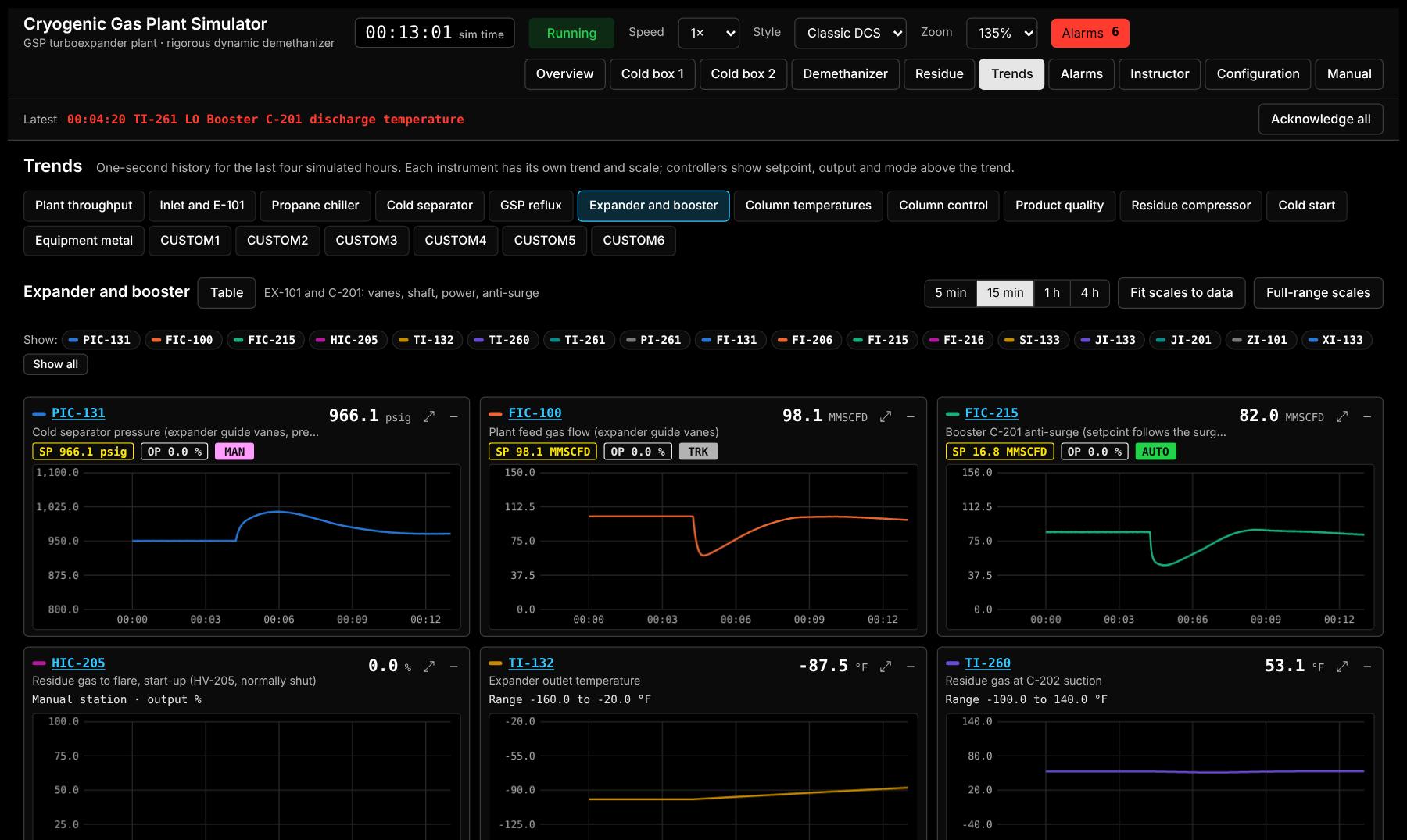
An expander trip, run in the simulator at 102 MMSCFD. Nothing below is scripted: it is what the model computes, second by second.
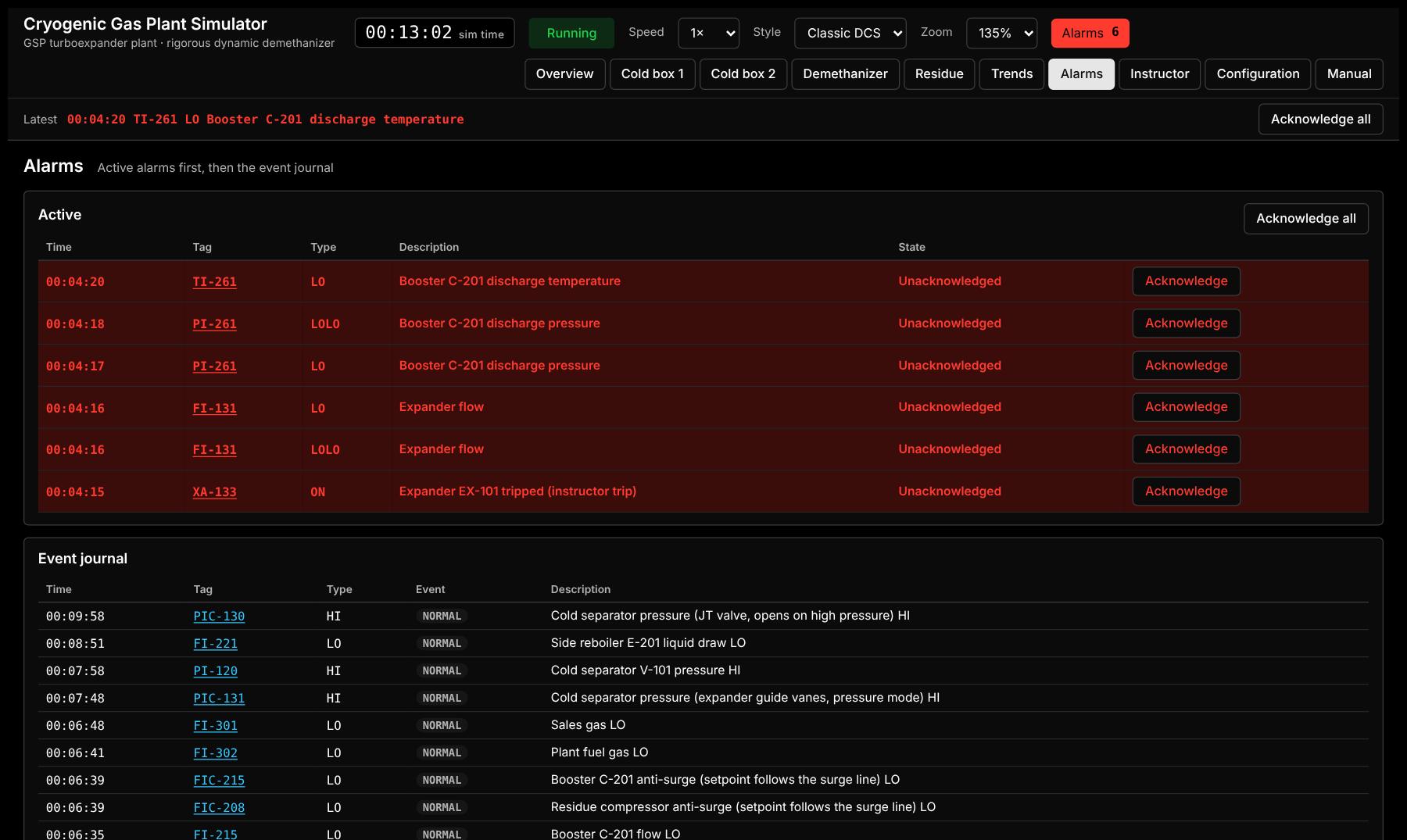
The trip valve shuts and the guide vanes close. Expander flow FI-131 drops to zero and the shaft starts to coast down.
Gas has nowhere to go. V-101 pressure rises past the JT setpoint and PIC-130 starts opening the JT valve.
The inlet header backs up, so the wells deliver less. Plant feed falls to about 59 MMSCFD while the JT catches up.
The JT carries the load. Feed recovers to about 98 MMSCFD, and the residue compressor takes over the booster's duty.
The column settles warmer. The JT gives far less cooling than the expander, so ethane recovery drops and the side reboiler works back to its setpoint as tray compositions resettle.
| Measurement | Before | After |
|---|---|---|
| JT valve flow to stage 5 FI-151 | 0 | 47.4 MMSCFD |
| Ethane recovery | 85 % | 78 % |
| Residue compressor C-202 power | 4,100 hp | 4,690 hp |
| Column top temperature | −132.6 °F | −126.1 °F |
From generic to your plant
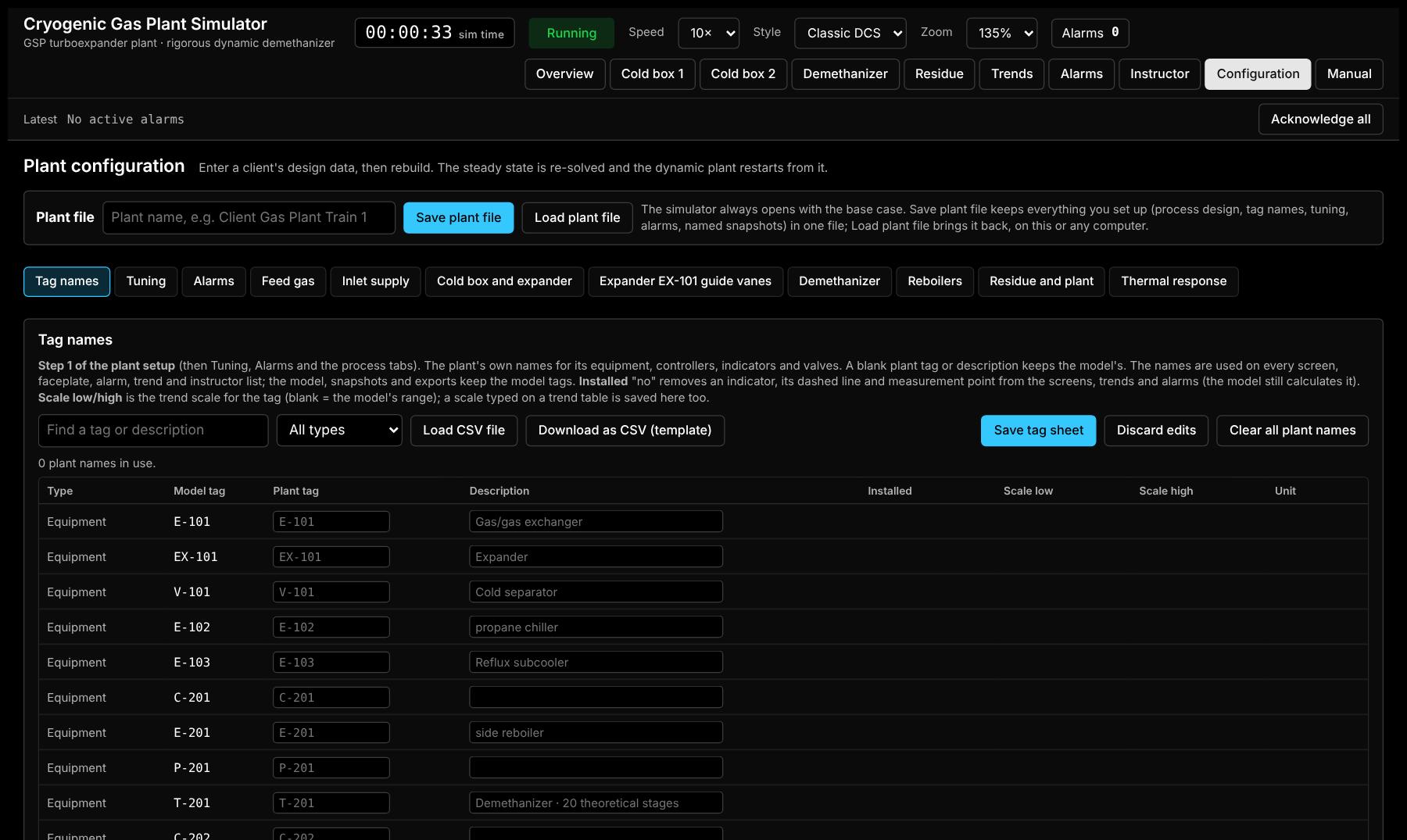
The simulator ships as a generic GSP plant. Setting it up for a site follows the order a project team already works in, and every step shows your own tag names. Most of it is loading spreadsheets you already have.
Download the CSV template, fill in your plant's tags in Excel and load it back. Equipment, controllers, indicators and valves take your names on every graphic, faceplate, alarm and trend. Indicators you do not have can be marked not installed and disappear from the screens.
Load your controllers' gain, integral, derivative and action from CSV, or type them in. The plant tuning is applied again after every reset, rebuild and snapshot.
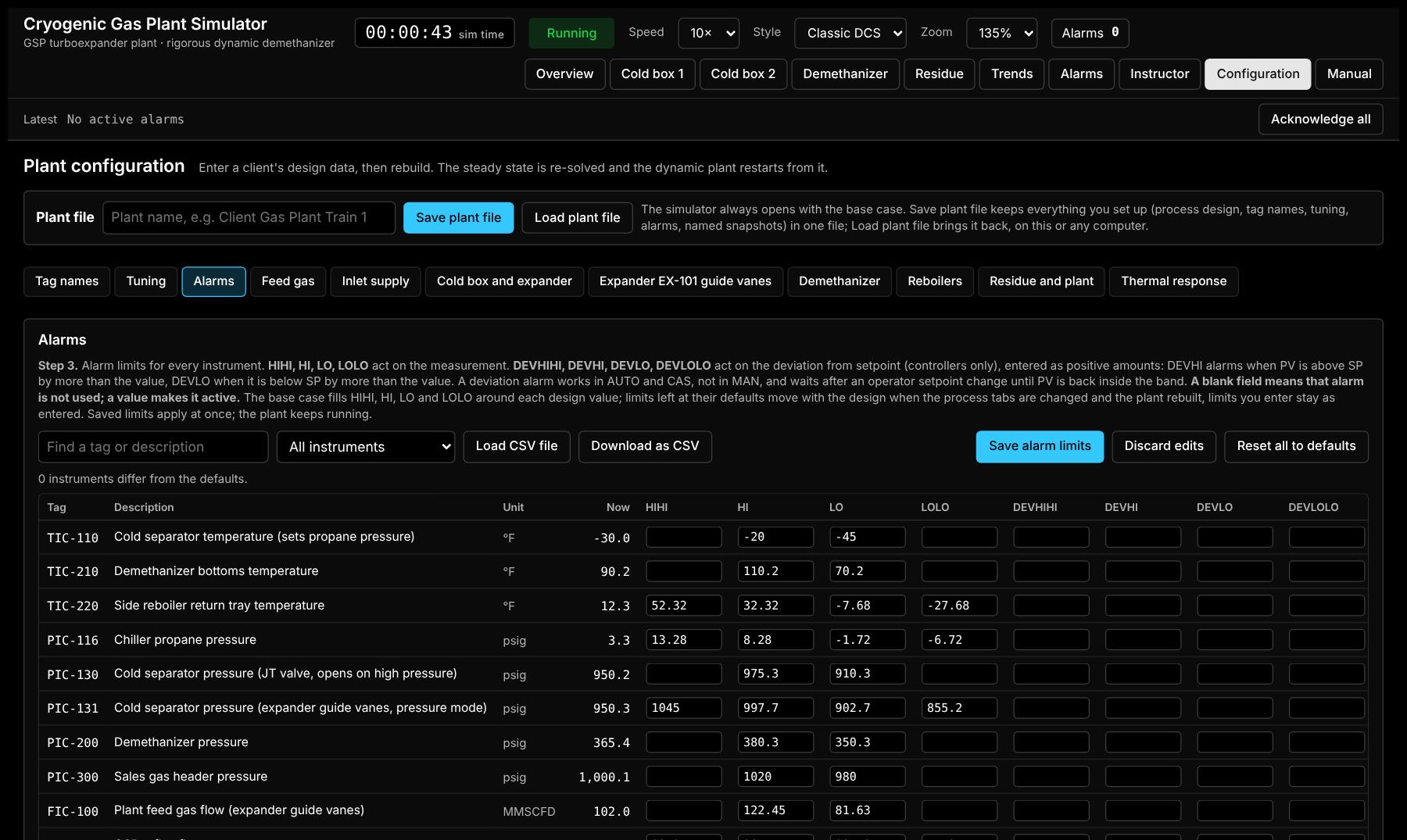
Limits for every controller and indicator, from your DCS alarm list. A blank field means that alarm is not used. Deviation alarms wait after a setpoint change, as DCS PID blocks do.
Feed composition, inlet compression, amine, dehydration, inlet supply, cold box and expander, guide-vane control, demethanizer, reboilers, residue compression, refrigeration and hot oil, and thermal response: about 60 design inputs on twelve tabs.
The steady state is re-solved from your design data and the plant settles before it starts, in about 20 to 40 seconds. Every screen is redrawn to match the equipment you have.
One file holds the whole plant: design, tag names, tuning, alarms and your named starting snapshots. Load it on any training computer. A checksum refuses a file that has been changed or damaged.
Inside the model
Training only works if the plant responds the way the real one does. These are the details that make it behave.
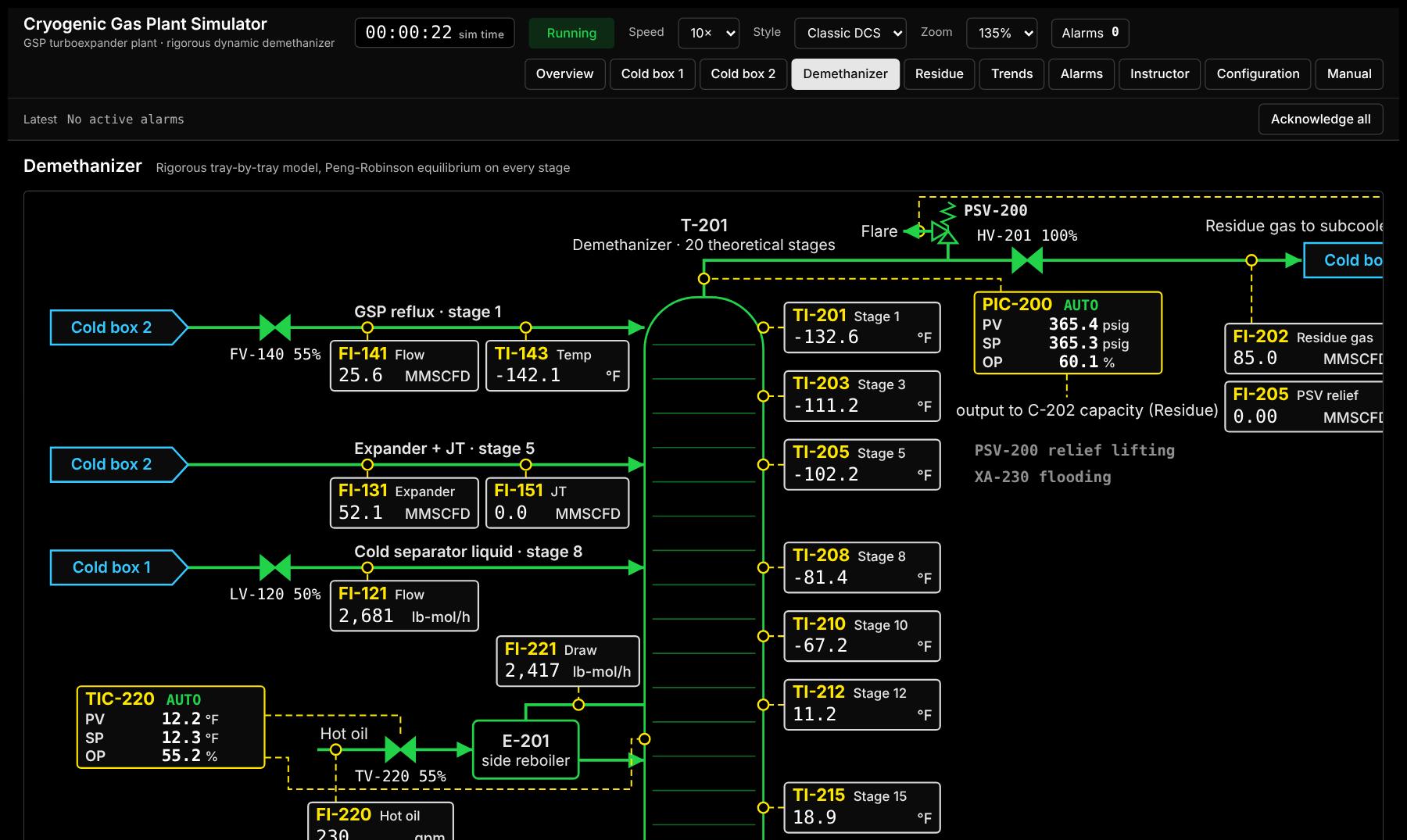
Every theoretical stage of the demethanizer carries its own liquid holdup, composition and energy balance, and solves its Peng–Robinson bubble point four times a second. Tray temperatures move with composition, so a disturbance travels through the column as it does in the plant.
ISA-form PID controllers in velocity form, cascades, the HS-101 guide-vane selector, the JT valve as expander backup, and anti-surge on both compressors with setpoints that follow the surge line.
Analyzer dead time and sample cycle, lines that drift to ambient when their flow stops, exchanger metal temperatures with cooldown-rate and thermal-shock alarms, relief valves that lift to flare.
Overview, inlet compression and stabilizer, amine, dehydration, two cold box screens, demethanizer, residue, propane refrigeration and hot oil, drawn in the black-screen style operators know. Click any controller for its faceplate; click any alarm or trend tag to jump to it on its graphic.
Eighteen trend groups in process order, one chart per instrument, four hours of one-second history, plus six custom groups. Hide what you do not need; open any group as a table.
Today the simulator runs in a web browser, at real time or faster, for demonstrations. The product runs as a Windows desktop app in your training room, with nothing else to install.
Screens
The product
The simulator you see here is the engine. The product puts it in your training room: a Windows application licensed to your site, an instructor console, and trainee stations on your own network.
In development: the desktop app, site licence and logins are built and in test; the networked instructor console follows. The engine and screens shown on this page run today.
How training runs
A training server in the room runs one live plant for each trainee. The instructor console and the trainee stations connect to it over your local network; nothing leaves the building.
Beyond gas processing
The same approach carries to other units: rigorous thermodynamics, tray-by-tray column dynamics, real control schemes and classic DCS screens, configured to your plant's data. Tell us about your unit.
Deethanizers, depropanizers and debutanizers, refrigeration loops and liquefaction trains.
Distillation and stabilisation units, with the column dynamics that drive product quality.
Ethylene recovery trains, cold sections and splitters.
Continuous and batch distillation, reflux and steam-rate control, column start-up.
Amine and glycol units upstream of the cryogenic plant.
Bring your design data and P&IDs; we model the process and the controls your operators actually run.
Book a demo
In 30 minutes I'll trip the expander, fail a valve and cut the refrigeration on the live simulator, then show how your own tags, tuning and alarms go in. Bring your toughest training scenario.
Chemical engineer: distillation modelling and controller tuning on operating columns, then 30 years delivering large systems projects.
To arrange a demo:
steadfastsim@gmail.com
+1 609-356-9711
The founder
Rajiv KalraFounder, Steadfast Process Simulation
Steadfast Process Simulation was founded in 2026 to bring real-time operator training to the process plants that need it.
Rajiv holds a master's in chemical engineering from the City University of New York, where he specialized in mathematical modeling of chemical processes and process control, and a bachelor's in chemical engineering from IIT Roorkee, India.
Process simulation is where his career began, and Steadfast is a return to it. The company plans real-time simulators for natural gas and LNG, refining, olefins and petrochemicals, and other process industries. The first product, Steadfast Dynamic OTS – Cryogenic Gas Plant, is built for natural gas processing.
Senior Process Lead
Led development of real-time operator training simulators for large ethylene plants at Osaka Petrochemical, Mitsubishi Petrochemical and Maruzen Petrochemical, projects of $4–6 million each that are still in use at those sites in Japan. Also built a high-fidelity xylene isomerization model for Mobil in Singapore.
Senior Process Engineer, Technical Services
Built mathematical models of plant processes and used them to stabilize complex batch distillation units and retune controllers that were causing frequent trips. At the Baltimore plant this raised output of a proprietary agricultural chemical from 600,000 to 2.4 million lb a year. FMC sites in the US and Canada, including Prince George and Bessemer City, called him in to stabilize their operations.
28 years in life sciences, consumer products and the US federal government
Led SAP and supply chain programs that bring ERP, planning and plant data together, so supply chain, manufacturing and finance work from the same numbers. Most recently at AbbVie in Chicago.